
Drowning in pull requests?
Good. That means you're shipping.
Agents write more code than ever, and every line still lands in a pull request. Pull Panda is a desktop app that puts all of them, from every repo, in one place, shows what each one is waiting on, and gets you to merged fast.
Free · macOS, Windows, and Linux · Your code never leaves your machine
The problem
Your review queue outgrew your browser tabs.
You used to review a couple of pull requests a day in one repo. Now it's dozens, from teammates, bots, and your own agents, spread over every project you touch.
- Scattered across repos
- Every repository has its own pull request page. Keeping up means a tab per repo, a notifications inbox, and a lot of refreshing.
- Status is one click deep
- You open a pull request to find out it's still running CI, or waiting on someone else. Then you do it again for the next one.
- Nothing stays top of mind
- Pull requests go stale, pings pile up, and the one that matters gets buried under thirty bot comments.
The fix
Pull Panda turns the pile into a list.
One sidebar with every pull request you're involved in. Each row tells you what it's waiting on. Open one, and everything you need to review, fix, or merge it is right there.
Sidebar
Every pull request, every repo, one list
Pull requests from every repository and organization land in one sidebar. Move through them with the keyboard and keep the whole queue in view.
- Sorted so the pull requests that need you come first
- Filter by repository, author, or state
- Hide the ones you are not on the hook for
- An unread marker when something changed since you last looked
Status at a glance
See what's up before you click.
Every row sums up its checks, reviews, and draft state, and a red edge marks the ones waiting on you. Skim the list, know where everything stands, and spend your time on the pull requests that can actually move.
Offline mode for the inbox
mobile #431
Waiting on your review. Checks still running.
Add usage & billing page
web #2184
Green and waiting on your review.
Rate limit webhook deliveries
Changesapi #912
Yours, with changes requested and a failing check.
Add idempotency keys
Approvedbilling-service #77
Approved and passing. Ready to merge.
Move feature flags to OpenFeature
Draftweb #2150
Still a draft. Nothing to do yet.
Tasks
Every blocker in one checklist
The Tasks tab gathers everything standing between a pull request and a merge into one checklist, so you don't have to scroll through a hundred comments to find it.
- Failing checks with a link to the logs
- Requested changes and missing approvals
- Unresolved conversations you can resolve in place
- Unchecked boxes in the test plan
Diffs
Made for reading code
A diff view built for reading. Big type, calm colors, and comments right where they belong.
- Syntax highlighting and word-level changes
- Review threads inline, next to the code
- Unified or split, your choice
Merge
From review to merged in one place
When it's green, merge it. The merge drawer shows what the branch rules still need and lets you ship without opening a browser.
- Squash, merge, or rebase
- Auto-merge and merge queues
- Every branch rule checked before you click
Themes
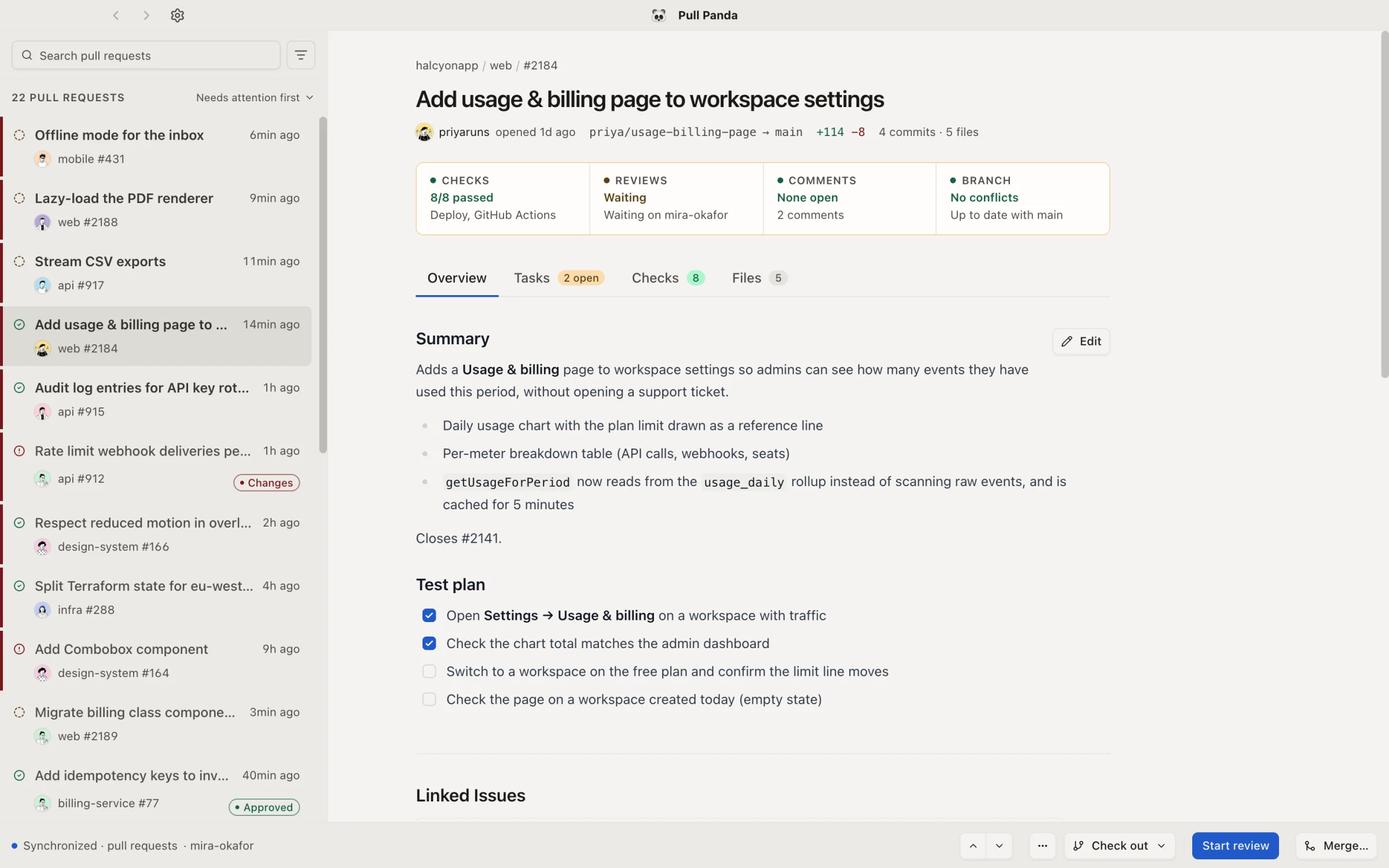
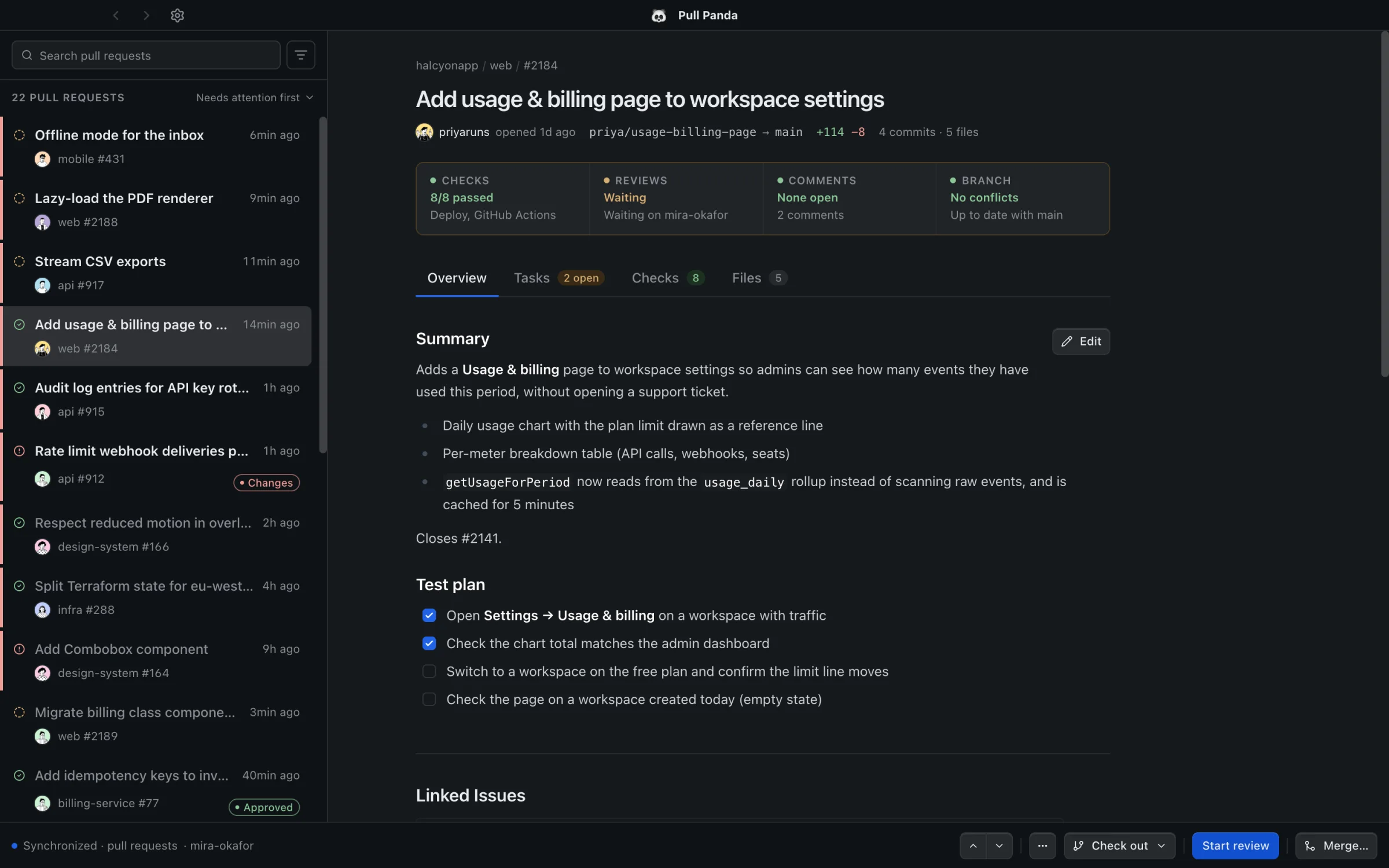
Bright as day, dark as night.
Paper Panda and Midnight Panda, plus 13 more, including Catppuccin, Dracula, Nord, Solarized, and GitHub.
Keyboard first
Clear the queue without touching the mouse.
Hop between pull requests, switch tabs, and run any command from the palette. Twenty reviews feel a lot shorter when your hands stay on the keyboard.
- Next or previous pull request⇧J / K
- Jump to pull request 1 through 9⌘1–9
- Switch tabs1–4
- Command palette⌘K
Local-first
Your code never leaves your machine.
- Runs locally
- A desktop app on your own machine. No web app, no cloud account, no team rollout.
- Talks to GitHub directly
- It signs in with your GitHub account and calls the GitHub API from your computer. Nothing routes through us.
- Nothing on our servers
- We have no copy of your repositories, code, or reviews, because there's no server that could hold one.
FAQ
Questions, answered.
Blog
Latest articles

How HNSW Makes Vector Search Fast
A deep dive into Hierarchical Navigable Small World graphs — the index structure that makes searching through millions of vectors fast enough to be useful.

Code Review Tools in 2026: Human-First Pull Requests
A 2026 guide to the tools that help humans review pull requests, from platform-native workflows to dedicated review systems, with a close look at Pull Panda's fast, open-source, local-first experience.

Feature Branch Performance: How to Keep Branches Fast & Lightweight
Learn practical techniques for keeping feature branches performant, from short-lived branches to frequent syncing, clean history, and Git optimization tips.
Get on top of your pull requests.
Free, local-first, and ready in about a minute. Sign in with GitHub and your queue is there.